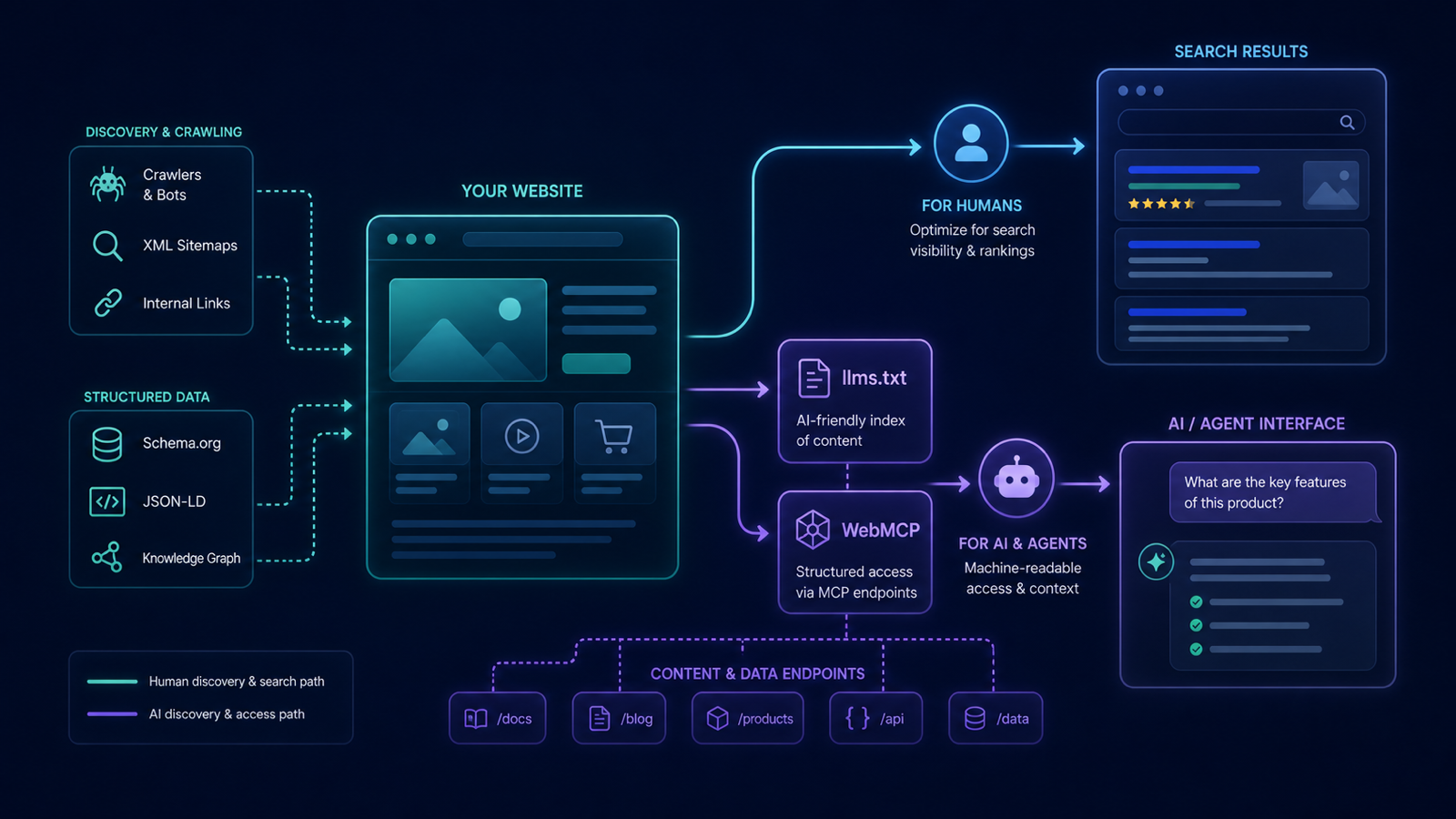
Some high-intent discovery now happens through AI assistants alongside classic search.
Some teams are also experimenting with llms.txt content maps and WebMCP tools.
Support varies between assistants and browsers. Neither implementation guarantees crawling,
citations, rankings, traffic, agent compatibility, or task completion.
Step 1. Validate your current state
- The free llms.txt validator checks if you already have
/llms.txtand validates its structure. - The free WebMCP validator checks if your site exposes a WebMCP endpoint and what tools it offers.
Treat both checks as Labs evidence, separate from core SEO health and measured AI visibility.
Step 2. Generate a starter llms.txt
The free llms.txt generator builds a draft from your sitemap and top pages. The resulting file is a Markdown directory:
# Acme Corp
> Acme is a B2B platform for X.

## Core docs
- [Pricing](https://acme.com/pricing)
- [Product overview](https://acme.com/product)

## Resources
- [API docs](https://acme.com/docs)
- [Changelog](https://acme.com/changelog)
Deploy to /llms.txt at the root of your domain.
Step 3. Add a WebMCP endpoint
If you are testing compatible browser agents, you can expose a narrowly scoped WebMCP tool. Validate the implementation before a controlled trial, and keep authentication, rate limits, authorization, and human confirmation in the product flow.
Step 4. Monitor the experimental implementation
Labs → WebMCP monitors endpoint availability, schema validity, and tool definitions. Keep that conformance evidence separate from measured answer-engine mentions, citations, referrals, and conversions.
Three implementation mistakes to avoid
- llms.txt as a sitemap copy — it should be a curated directory of your best content, not every URL.
- Exposing WebMCP without auth controls — implement rate limits and scoped tools; treat agents as authenticated clients.
- Forgetting
llms-full.txt— some assistants prefer the expanded long-form variant.
llms.txt vs robots.txt
They are complementary, not competing.
robots.txt controls crawl: who is allowed to read which URLs.
llms.txt is a proposed content map for tools that choose to read it.
Robots.txt is an access-control signal; llms.txt is optional descriptive metadata with variable support.
Explore the 2-UA Labs catalog for the llms.txt generator and WebMCP validator, including their current scope and limitations.