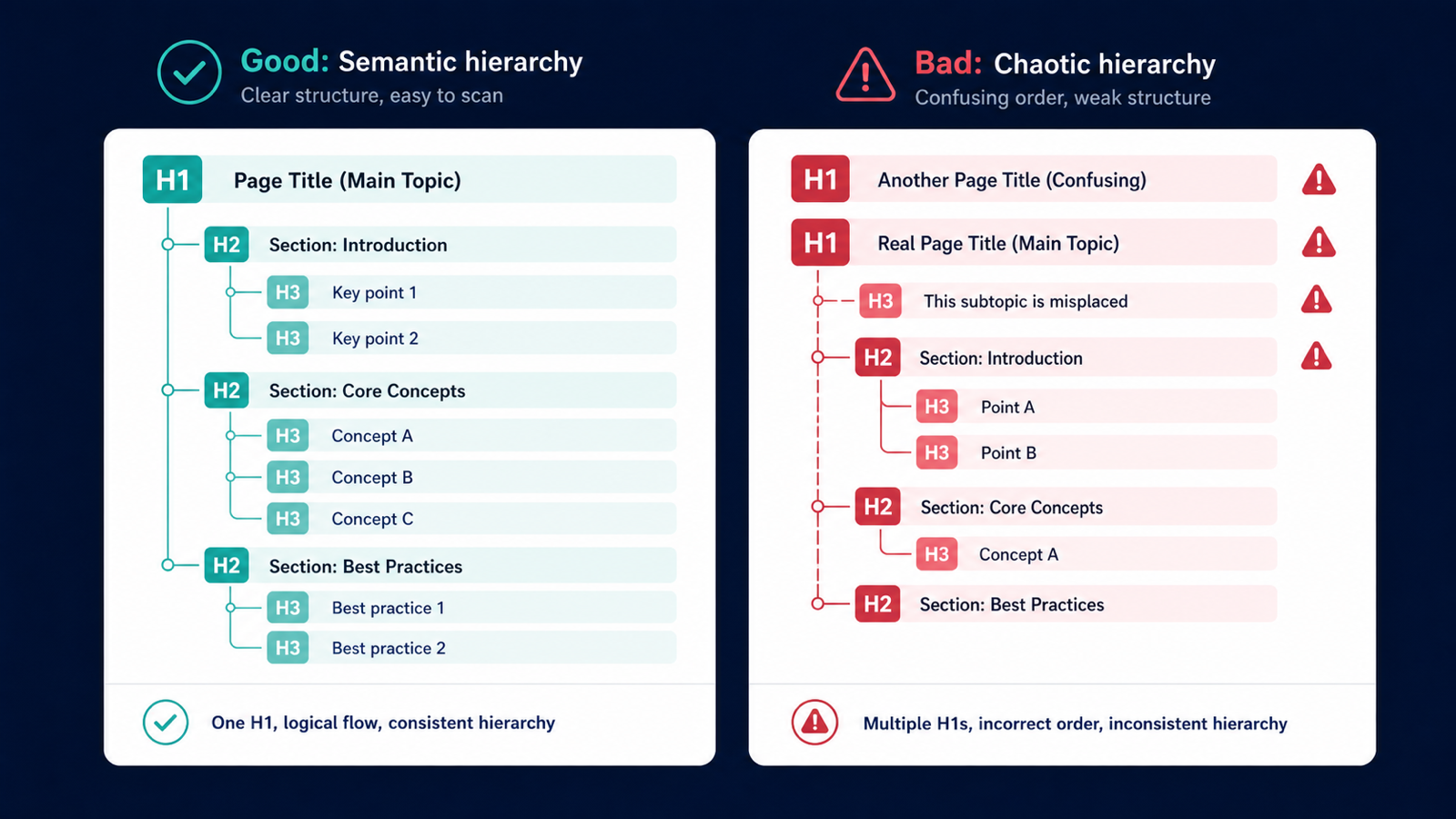
HTML5 technically allows multiple H1 tags, but accessibility tooling, screen readers, and Google's content interpretation all prefer a single, clear H1 per page. Missing H1s confuse topic models. Multiple H1s dilute relevance signals across the page. A site-wide heading audit takes minutes and fixes a class of problems most CMS templates carry by default.
Step 1. Crawl extracting H1–H3
Run a crawl in Site → Crawling Iterations.
The parser captures h1, h2, and h3 by default.
Step 2. Three primary filters
- Zero H1:
h1_count == 0— usually a template issue. - Multiple H1:
h1_count > 1— most often caused by themes wrapping logos in<h1>. - H1 matches title: good practice; flag URLs where they diverge wildly so you can review semantic alignment.
Step 3. Inspect the full heading hierarchy
The report's URL drawer shows the complete H1 to H6 outline. Watch for:
- H3 used before H2 — visual styling masquerading as semantic structure.
- All-caps H1 — fine as long as it reads naturally to a screen reader.
- H1 inside slider or carousel components repeating per slide.
Step 4. Export and prioritize
Export XLSX. Filter to commercial pages first. Informational long-form posts tolerate slight hierarchy drift; product detail pages and category pages do not. The smaller your commercial-page list, the more aggressive your fixes can be.
Three CMS patterns that produce multi-H1 issues
- Theme-injected logo H1 — many themes wrap the site logo in
<h1>. Fix the template, not 1,000 pages. - Hidden mobile H1 —
display:noneH1 is still parsed by Google; do not use this trick. - Two H1s on A/B test variants — split-test wrappers often duplicate the heading.
What "good" looks like in 2026
One H1 per page, 20–70 characters, semantically aligned with the title tag without being identical. If the H1 will not fit on one mobile line, it is too long. The H1 anchors the topic for both readers and topic-modeling systems; the title tag earns the SERP click. Treat them as complementary, not redundant.
Use the free SEO page audit to check a single page's heading structure, or run a project crawl for full-site coverage.