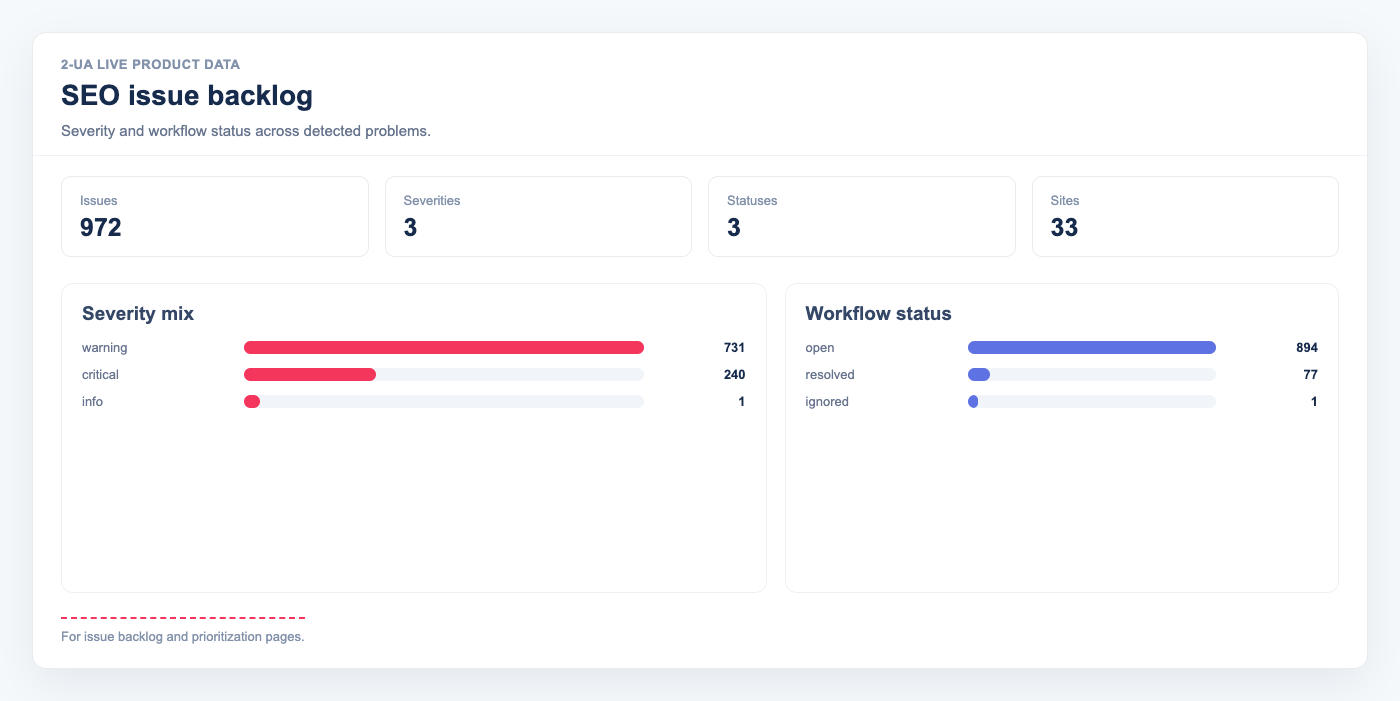
SEO monitoring generates a lot of signals — HTTP errors, missing alt text, weak security headers, slow Core Web Vitals, broken structured data, W3C validation failures. The problem is that these signals live in separate reports, and there is no single place to triage them. 2-UA's Issue Backlog collects every detected problem across all your checks into one prioritised list — with severity levels, first-seen dates, and reasoned Ignore for known non-issues.
What the Issue Backlog aggregates
The backlog draws from every monitoring source 2-UA runs:
- HTTP status — pages returning 4xx or 5xx when 200 is expected
- Redirect target — redirect destination differs from the configured expected URL
- Title tag — empty title or count ≠ 1
- Canonical — count ≠ 1 or HTTP canonical differs from page canonical
- Security headers — grade D, E, or F
- Image alt text — one or more images with missing alt attribute
- Schema.org — one or more invalid JSON-LD blocks
- W3C validation — HTML errors and warnings
- PageSpeed — performance or SEO score below 50
- CrUX (real-user LCP/CLS/INP) — p75 values in the yellow or red zone
- SSL certificate — expiring within 30 days
- Domain registration — expiring within 30 days
Severity levels
- Critical — issues that directly affect indexation, availability, or cause ranking loss. Examples: HTTP 404, CrUX LCP > 4 s, SSL expiry < 30 days, security grade F.
- Warning — issues that degrade performance or signal quality but do not immediately break pages. Examples: missing alt text, invalid Schema.org, W3C errors, security grade D.
- Info — optimization opportunities and minor consistency issues. Examples: slow response time, multiple meta description tags, W3C warnings.
Issue lifecycle
Issues are collected once per day after all checks have completed. Each issue is uniquely identified by site + URL + type — there is never a duplicate for the same problem.
- Open — the problem was detected in the latest run.
- Resolved — the problem was detected before but is no longer present. Auto-resolved by the next successful run.
- Ignored — you explicitly dismissed the issue. It will not be reopened automatically even if the problem persists.
Notifications
When new issues are opened, 2-UA sends a digest to your Telegram or Slack channels — grouped by severity, with the URL and detail for each new issue. Notifications respect your site's alert policy (quiet hours, templates). Only new issues trigger a notification; existing open issues are not re-sent.
Using the Issue Backlog in practice
- Start your week by opening Issues → filter by Critical and share the list with your dev team.
- After a deploy, check if any previously Resolved issues were reopened — a sign of regression.
- Use Ignore with reason for known false positives (e.g., a decorative image intentionally has no alt). This will not count against your backlog.
- Compare First seen date against your Change log to identify which deploy introduced the issue.
- The site-level overview card shows open issue count at a glance — zero open criticals is a healthy site.