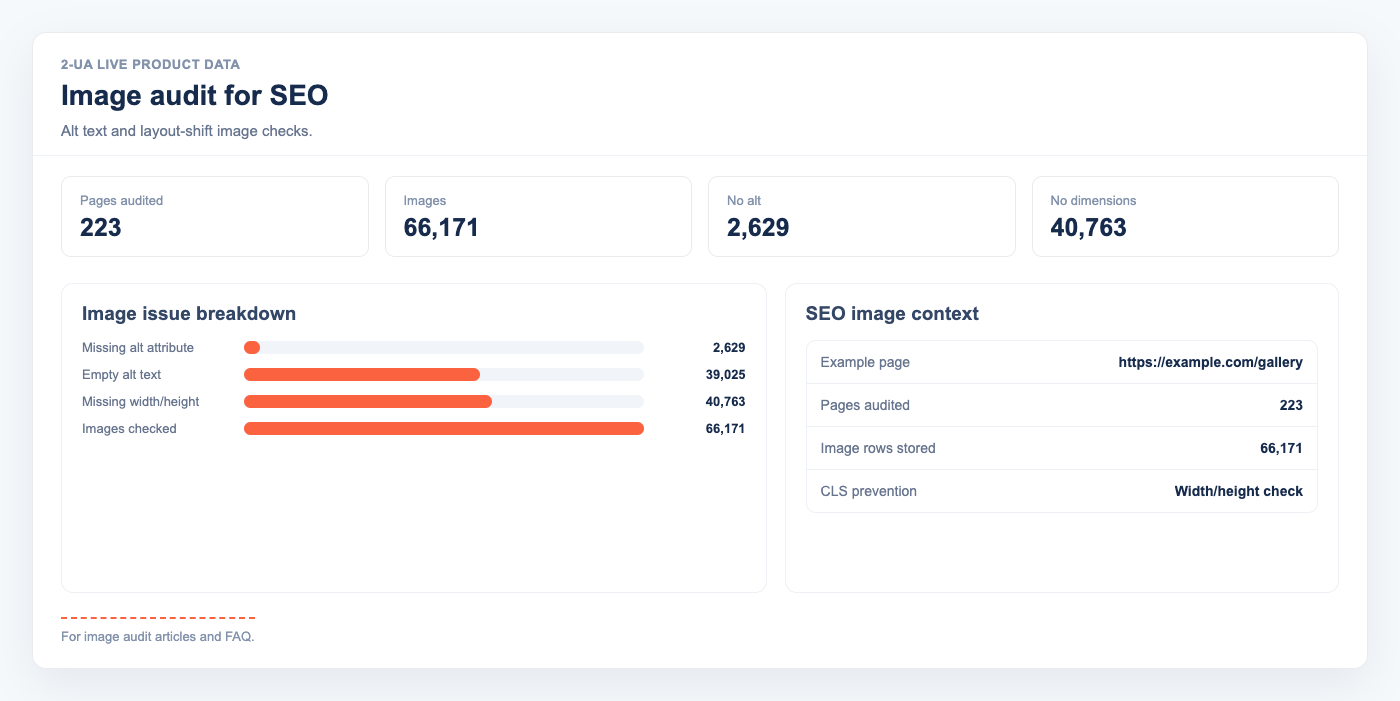
Images are one of the most overlooked SEO signals on a page. Missing alt attributes cost you accessibility and relevance signals. Missing width and height attributes cause layout shifts that hurt Core Web Vitals. Both problems are easy to fix — once you know which pages have them.
Why image attributes matter for SEO
- Alt text helps search engines understand image content and contributes to rankings in image search. Screen readers also depend on it, making it a legal accessibility requirement in many jurisdictions.
-
Empty alt (
alt="") marks an image as decorative — intentionally invisible to screen readers and search engines. This is correct for icons and spacers, but wrong for content images. - Width and height attributes allow the browser to reserve space before the image loads, eliminating Cumulative Layout Shift (CLS). CLS is a Core Web Vitals metric that directly affects Google ranking.
-
Loading attribute (
loading="lazy") defers off-screen images, improving Time to Interactive and Largest Contentful Paint for pages with many images.
What 2-UA tracks per image
For each tracked URL checked with desktop user agent, 2-UA parses all <img> tags and records:
- Total image count
- Images with no
altattribute (missing — SEO and accessibility issue) - Images with
alt=""(empty — intentionally decorative) - Images with no
widthorheight(potential CLS source) - The
loadingattribute value (lazy, eager, or absent) - The full
srcURL
How to read the image audit
Open any tracked URL → Quick menu → Image audit. The per-URL view shows:
- A summary panel: total images, missing alt, empty alt, no dimensions.
- A row-by-row table of every image with all its attributes.
- Red Missing badge — no alt attribute at all. Fix immediately.
- Grey Empty (decorative) badge —
alt="". Verify it's truly decorative. - Yellow warning on width/height cells — layout shift risk.
The site-wide summary shows all tracked URLs ranked by missing alt count, so you can prioritize the most affected pages first.
Practical fix workflow
- Use the site-wide summary to identify pages with the highest missing alt counts.
- Open the per-URL audit table and export the src list to your content team.
- Add descriptive alt text to content images; set
alt=""on decorative ones. - Add explicit
widthandheightto all images to eliminate CLS. - After deployment, the next content check updates the audit automatically.
Automating this audit means regressions — like a CMS update that strips alt attributes — are caught the next time that page is checked, not months later when rankings drop.