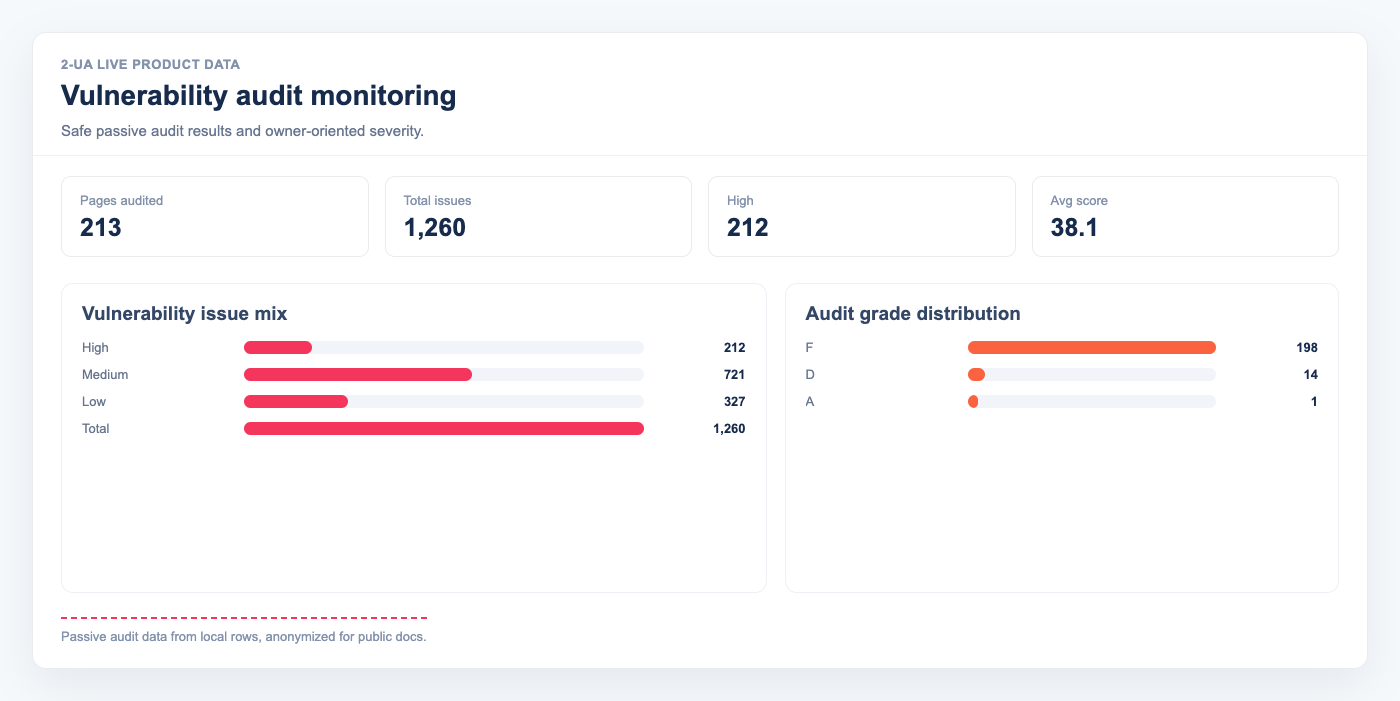
Vulnerability audit monitoring in 2-UA is built for defensive operations: recurring, passive checks that surface real risks without running offensive exploit payloads. You get one place to track exposed files, software fingerprint risks, misconfigurations, and XSS warning patterns across all tracked URLs.
What this audit checks
-
Dangerous file exposure — probes common sensitive paths such as
/.env,/.git/config,/phpinfo.php, SQL dumps, and backup archives. - Outdated software fingerprints — inspects headers and HTML signatures for runtime/version clues and flags versions that appear below configured secure baselines.
- Misconfiguration risks — checks missing hardening headers, risky HTTP methods, directory listing, weak HTTP-to-HTTPS enforcement, and version disclosure in response headers.
- XSS risk patterns — detects reflected and DOM-based XSS warning signals with safe probe requests, plus missing CSP hardening when script vectors exist.
Safe mode by design
The audit is intentionally defensive. It does not perform brute-force password attacks and does not execute exploit chains. The goal is continuous risk detection and remediation prioritization, not penetration testing with active exploitation.
How scoring and prioritization work
Each finding is classified by severity (high, medium, low) and mapped to owner teams such as DevOps/SRE, Backend/PHP, Frontend/JS, or CMS Owner. The report includes:
- Total score and grade (A–F)
- Issue counts by severity
- Owner mapping with suggested next actions
- CWE and OWASP references for faster triage alignment
This structure helps teams move from detection to assignment quickly: who fixes what, in what order, and why.
Per-site schedule settings
Vulnerability monitoring is configured in website settings (/site/view/{id}):
- Enable or disable the vulnerability audit for that site.
- Set the daily run time in
HH:MMformat. - Save settings.
The scheduler evaluates this per site and enforces a weekly guard: each site runs no more than once every 7 days, even though the global scheduler checks execution windows every few minutes.
How to use the report in practice
- Open project → Vulnerability audit for site-wide overview.
- Sort by low score / high-severity findings and open per-URL detail.
- Assign fixes by owner map and execute high-severity remediations first.
- Use Re-check now after deploying fixes to verify closure.
- Keep weekly schedule enabled for regression control after releases.
This turns security hygiene into a repeatable operational loop: detect, assign, fix, validate, and monitor.