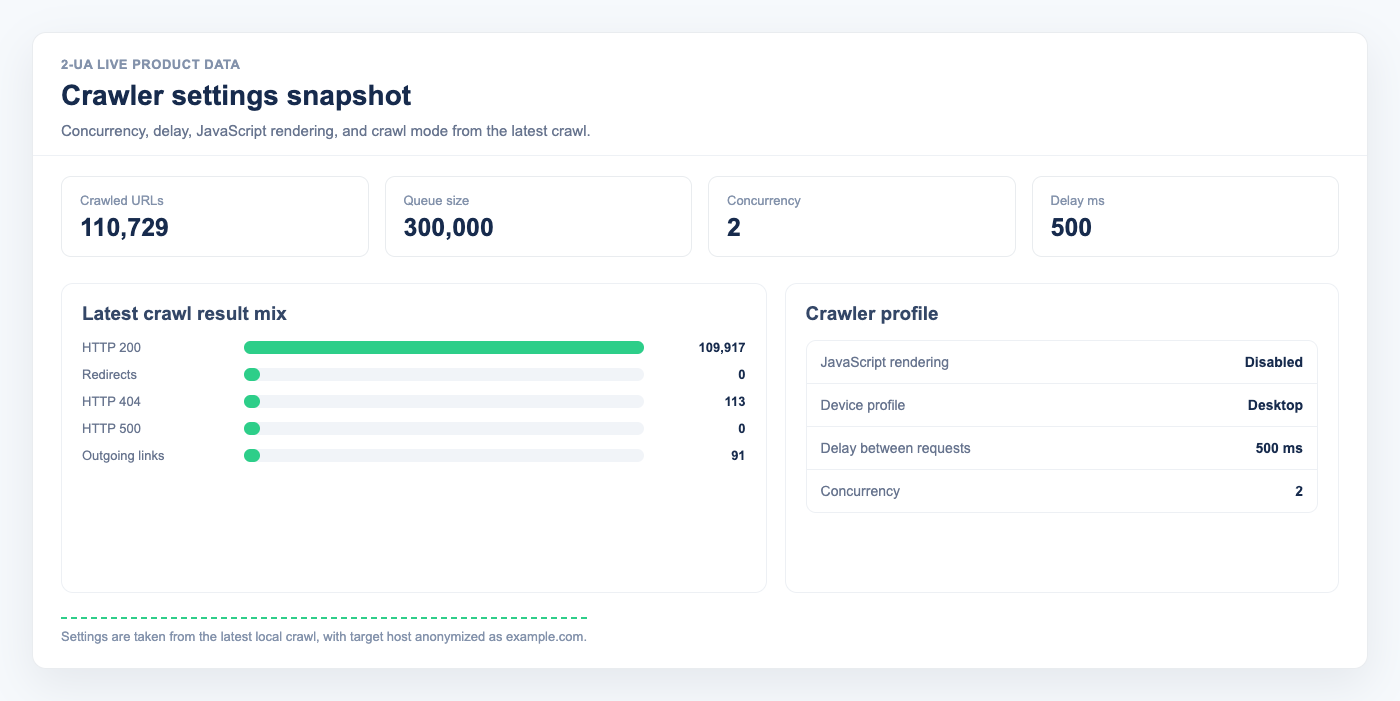
Concurrency and Delay between requests control how much load the crawler is allowed to put on your website. They are contracts with the site owner (you, your client, or hosting provider) — not throughput targets. The crawler will never exceed these limits, even if it could finish faster.
What each field means
-
Concurrency — the maximum number of HTTP requests sent in parallel
to your website at any given moment. With
Concurrency = 2the crawler opens at most 2 connections at the same time. WithConcurrency = 1requests are strictly sequential. -
Delay between requests — a pause (in milliseconds) the crawler waits
after a group of parallel requests has finished, before starting the next group.
With
Delay = 200the crawler waits 0.2 sec after the responses arrive. The delay is added on top of the response time, not instead of it.
Delay = 200 does not mean
"one request every 200 ms". It means "wait 200 ms after each group of
requests is complete". So the full cycle of one group is
response_time + Delay, not just Delay.
How one cycle looks (timeline)
Case A — fast website: Concurrency = 2,
Delay = 200 ms, response time 200 ms.
Here the delay and the response are the same size, both clearly visible:
Time:    0 ms ──────────── 200 ms ──────────── 400 ms ──────────── 600 ms
Group 1: [─── 2 parallel requests ───][── delay 200 ms ──]
         ↑ start                       ↑ both responses arrived
                                                            Group 2: [─── 2 parallel ───]
                                                                     ↑ start

One cycle = 200 ms (response) + 200 ms (delay) = 400 ms
2 URLs per cycle × (1000 / 400) cycles per second = 5 pages/second
Case B — typical website: Concurrency = 2,
Delay = 200 ms, response time 1 000 ms (1 sec).
The response now dominates the cycle, and the delay is barely a footnote:
Time:    0 ms ───── 200 ─── 400 ─── 600 ─── 800 ─── 1000 ms ── 1200 ms ──── 2400 ms
Group 1: [────────────── 2 parallel requests (1000 ms) ──────][delay 200]
         ↑ start                                               ↑ responses arrived
                                                                          Group 2: [── 2 parallel (1000 ms) ──][delay 200]
                                                                                   ↑ start

One cycle = 1000 ms (response) + 200 ms (delay) = 1200 ms
2 URLs per cycle × (1000 / 1200) cycles per second ≈ 1.6 pages/second
Notice what happened: in Case B the cycle grew from 400 ms to 1 200 ms, and
the rate dropped from 5 to 1.6 pages/sec — even though we did not change any
setting. The slowdown comes entirely from the website's own response time.
This is also why Delay matters less and less as the site gets slower:
even Delay = 0 would give only 2 / 1.0 = 2 pages/sec here.
If you instead expected Concurrency = 2, Delay = 200 to give 10 pages/sec —
that would be true only if your site replied instantly (response = 0 ms).
Real websites always need some time to respond, and that time is part of the cycle.
How to estimate the resulting load
A quick formula for the realistic page rate:
pages_per_second ≈ Concurrency / (avg_response_seconds + Delay/1000)
Or, the other way around — how many pages will be crawled in N hours:
pages_in_N_hours ≈ pages_per_second × 3600 × N
You can read your site's average response time on the crawl report page after the first run. Use that number to plan future crawls.
Concurrency = 2 means
≈ 2 / (3 + 0.2) ≈ 0.6 pages/sec, no matter how small the delay is —
because the response itself dominates the cycle.
Examples
Example 1 — fast website (avg response 200 ms)
- Concurrency = 2, Delay = 200 → cycle = 200 + 200 = 400 ms; rate = 2 / 0.4 = 5 pages/sec, ≈ 18 000 pages/hour.
- Concurrency = 5, Delay = 100 → cycle = 200 + 100 = 300 ms; rate = 5 / 0.3 ≈ 16 pages/sec, ≈ 60 000 pages/hour.
Good for static sites, well-cached blogs, and sites behind a CDN.
Example 2 — typical website (avg response 1 sec)
- Concurrency = 2, Delay = 200 → cycle = 1000 + 200 = 1200 ms; rate = 2 / 1.2 ≈ 1.6 pages/sec, ≈ 6 000 pages/hour.
- Concurrency = 4, Delay = 200 → cycle = 1000 + 200 = 1200 ms; rate = 4 / 1.2 ≈ 3.3 pages/sec, ≈ 12 000 pages/hour.
This is the most common case. Most WordPress, Shopify, and custom sites fall here.
Concurrency = 2 is a safe default.
Example 3 — slow or fragile website (avg response 3 sec)
- Concurrency = 1, Delay = 500 → cycle = 3000 + 500 = 3500 ms; rate = 1 / 3.5 ≈ 0.29 pages/sec, ≈ 1 000 pages/hour.
- Concurrency = 2, Delay = 200 → cycle = 3000 + 200 = 3200 ms; rate = 2 / 3.2 ≈ 0.63 pages/sec, ≈ 2 200 pages/hour.
For slow servers, raising concurrency does not always help — it can make response times worse and trigger 5xx errors. Start low and watch the report.
Example 4 — large website, weekly crawl
You have a 100 000-page site, average response time 1 sec, and want the crawl to finish overnight (say, 8 hours).
- Required rate: 100 000 / (8 × 3600) ≈ 3.5 pages/sec.
- From the formula:
3.5 ≈ Concurrency / 1.2→ Concurrency ≈ 4, Delay = 200.
Always confirm the server can handle 4 parallel connections without 5xx errors. If you see errors, lower concurrency or schedule a longer crawl window.
When to lower concurrency
- The crawl report shows 5xx errors or many timeouts.
- Your hosting provider sent a rate-limit warning.
- The site is behind a WAF (Cloudflare, Sucuri) that may treat parallel requests as a bot attack.
- The site uses shared hosting or has a known load problem.
- You crawl during peak business hours for the site.
When raising concurrency does not help
- The site has its own per-IP rate limit — you'll hit 429 / 503 instead of speeding up.
- The site uses a single-threaded backend (PHP-FPM with 1 worker, etc.). More parallel requests just queue up server-side.
- The bottleneck is on our side (we throttle to protect our infrastructure under heavy load).
Recommended starting points
- Default: Concurrency =
2, Delay =200. Works for the vast majority of websites. - Static / CDN-cached: Concurrency up to
5–8, Delay100–200. - Dynamic site (WP, Shopify, custom): Concurrency
2–4, Delay200–500. - Slow or shared hosting: Concurrency =
1, Delay300–500. - Crawling someone else's site: always ask the owner first and
respect
robots.txt.
Ask us about this workflow
Send the page or report you are working with and describe where you are stuck.