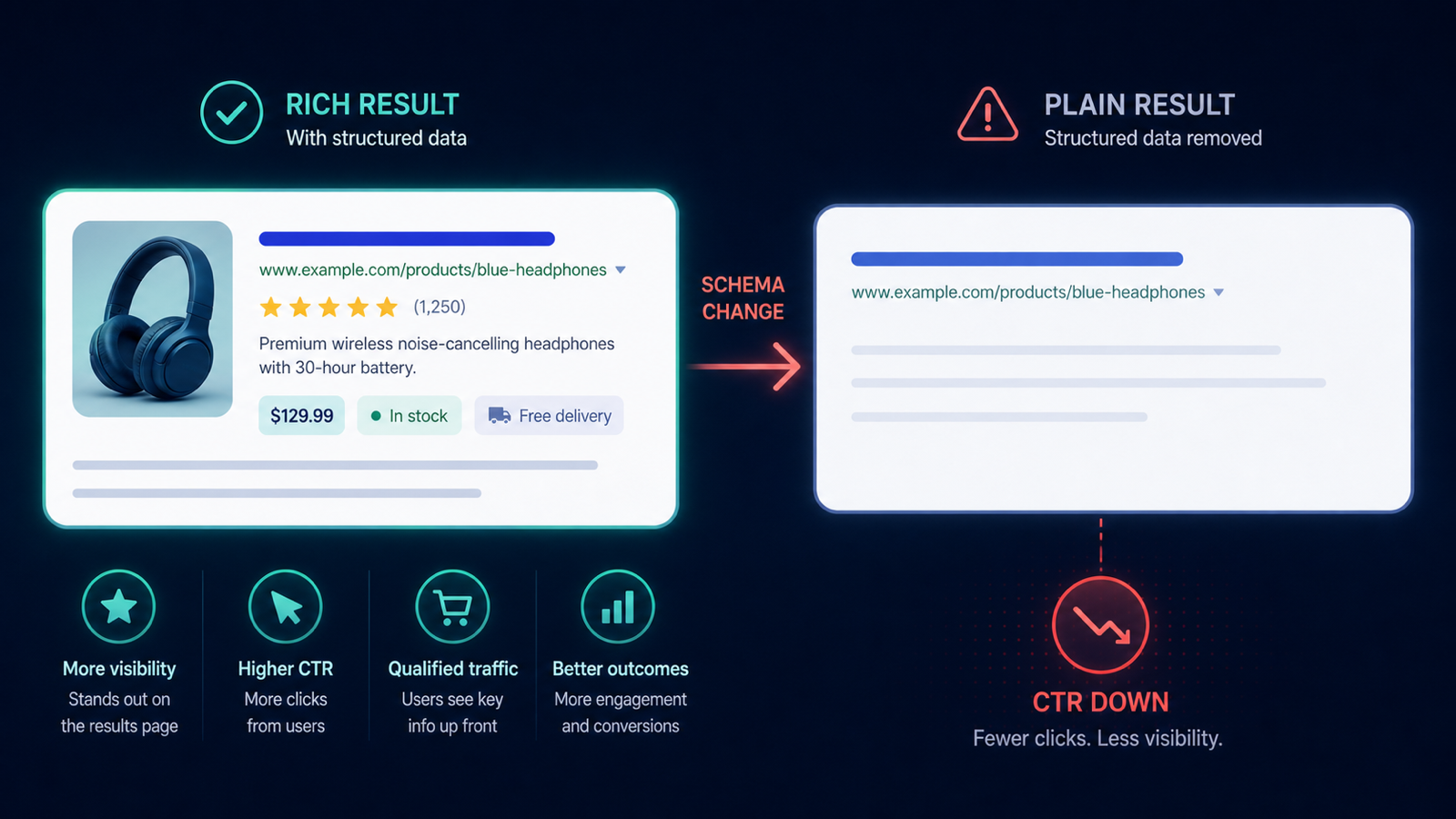
Your top-revenue product sells out at 14:32.
The inventory system flips the schema offers.availability from InStock to OutOfStock.
By 18:00 Google has recrawled and removed the price/availability rich result from the SERP listing.
By the next day, organic CTR on that URL drops 25% — even though the product is technically still purchasable on back-order.
The fix is not to lie in schema; it is to know within minutes that the rich result flipped, and decide deliberately what to do about it.
Why this matters more than it sounds
- Rich results are a CTR multiplier of roughly 1.3–2x on commercial queries; losing them is a real revenue event.
- For products on back-order or returning in days, the SERP signal mismatch is recoverable — but only if you notice.
- A schema flip back from
OutOfStocktoInStocktakes another crawl cycle to restore the rich result; speed matters at both ends.
2-UA setup for top product schema monitoring
- Identify your top 50 revenue products. These get individualized monitoring; the long tail goes into bulk schema validation.
- Add each top-product URL to Tracked URLs with full schema parsing on (default).
- Configure field tracking on
schema.offers.availabilityandschema.offers.price. Any change to either fires a snapshot diff. - Set the schema check frequency to hourly during business hours, daily off-hours. Inventory typically moves during business hours; over-sampling at night wastes capacity.
- Route schema-availability alerts to a dedicated channel shared with the merchandising team — not engineering. The decision is commercial, not technical.
The alert you wait for
Two patterns warrant action:
- Availability flip to
OutOfStockon a top SKU — investigate the stock situation, the restock timeline, and whether you want to keep the product page indexed at all. - Availability flip to
PreOrderorBackOrder— preserves rich result eligibility on Google; this is sometimes the right move during temporary depletion.
Fifteen-minute decision playbook
- Confirm the stock state with the inventory team. The schema flip might be a sync glitch, not a real stockout.
- If real and short (under 7 days): switch the schema to
BackOrderwith a clearavailabilityStartsdate. You retain the rich result and set buyer expectations honestly. - If real and long (over 30 days): consider redirecting the URL to the nearest equivalent product, or replacing the page content with a "notify me when back in stock" form. Do not noindex; you want the URL to retain authority for the eventual restock.
- Update the page's visible content to match the schema state — Google penalizes structured data that disagrees with the page.
- After restock, recrawl the URL via GSC URL Inspection to accelerate the rich-result return.
Three integration patterns that cause silent schema flips
- Inventory sync delay — the storefront says "in stock", the schema generator still sees yesterday's count and ships
OutOfStock. Cache invalidation is the usual culprit. - Per-variant availability with parent-level schema — one variant runs out, the whole product page flips even though most variants remain available.
- A/B test variants serving different schema — half of Googlebot's hits see one schema, half see the other; the rich result becomes unstable until you pin the schema to a single variant.
Use the free Schema Validator Pro for a single-URL check today, then add your top SKUs to a project for hourly schema diffing.