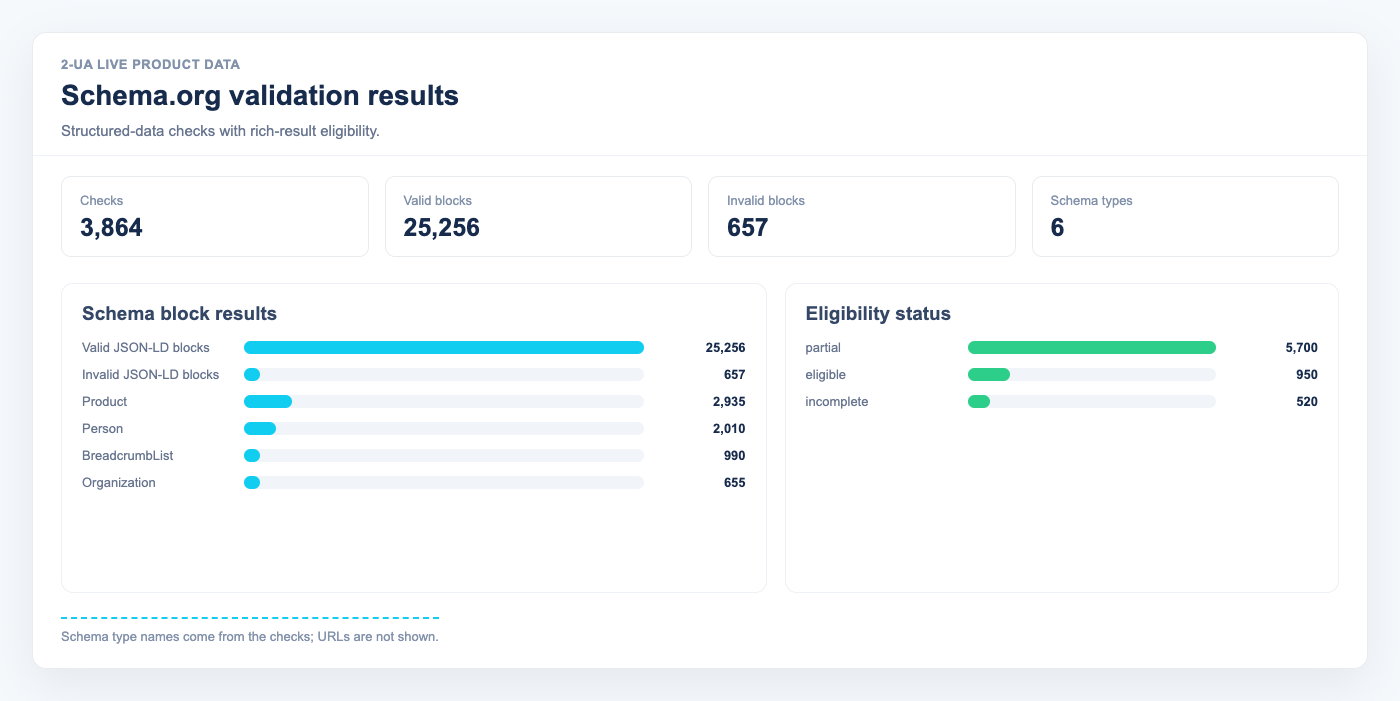
Schema.org structured data helps Google understand your content and display rich results — star ratings, FAQs, breadcrumbs, product prices, and more. A missing or malformed JSON-LD block means those rich results will not appear, regardless of how good your content is. 2-UA validates structured data automatically on every desktop check cycle.
Why structured data breaks silently
Most CMS deployments generate structured data via plugins or templates.
A plugin update, a theme change, or a page rebuild can silently remove a required property,
produce invalid JSON, or drop the @context entirely.
Google Search Console will eventually flag it — usually weeks later, after ranking signals have already shifted.
Automated validation on each content check catches regressions the same day they happen.
What 2-UA validates
For each tracked desktop URL with expected status 200, 2-UA extracts all
<script type="application/ld+json"> blocks and checks each one for:
- Valid JSON — a parse error makes the entire block invisible to Google.
- @context references schema.org — without this Google cannot interpret the type.
- @type is present — required on every block.
- Required properties per type — see the type table below.
- @graph expansion — nested graph arrays are validated item by item.
Required properties by type
| Type | Required properties |
|---|---|
| Article / NewsArticle / BlogPosting | headline, author, datePublished |
| Product | name |
| BreadcrumbList | itemListElement |
| FAQPage | mainEntity |
| Organization | name |
| WebSite | name |
| LocalBusiness | name, address |
| Recipe | name, recipeIngredient, recipeInstructions |
| Event | name, startDate, location |
| VideoObject | name, description, thumbnailUrl, uploadDate |
| HowTo | name, step |
| JobPosting | title, datePosted, hiringOrganization, jobLocation |
Current result and history
Open any tracked URL → Quick menu → Schema.org. The top section shows the latest check: each structured data block is listed as a card, colour-coded green (valid) or red (invalid), with the specific errors listed. Below is a trend chart of valid vs invalid count over the selected date range, and a history table showing every daily run.
Using Schema.org validation in practice
- After deploying a schema plugin or theme update, check the Schema.org report the same day — do not wait for Google Search Console.
- If the chart shows a sudden drop in valid count on a specific date, correlate it with your deployment log using the Change log view.
- A block marked "Missing required property: author" on an Article means Google may not display a byline in rich results.
- Empty
@typeerrors usually come from template rendering failures — the block is present but outputs an incomplete object. - Pages with no structured data at all show "No structured data found" — not necessarily a problem, but a signal to consider adding it for SEO benefit.