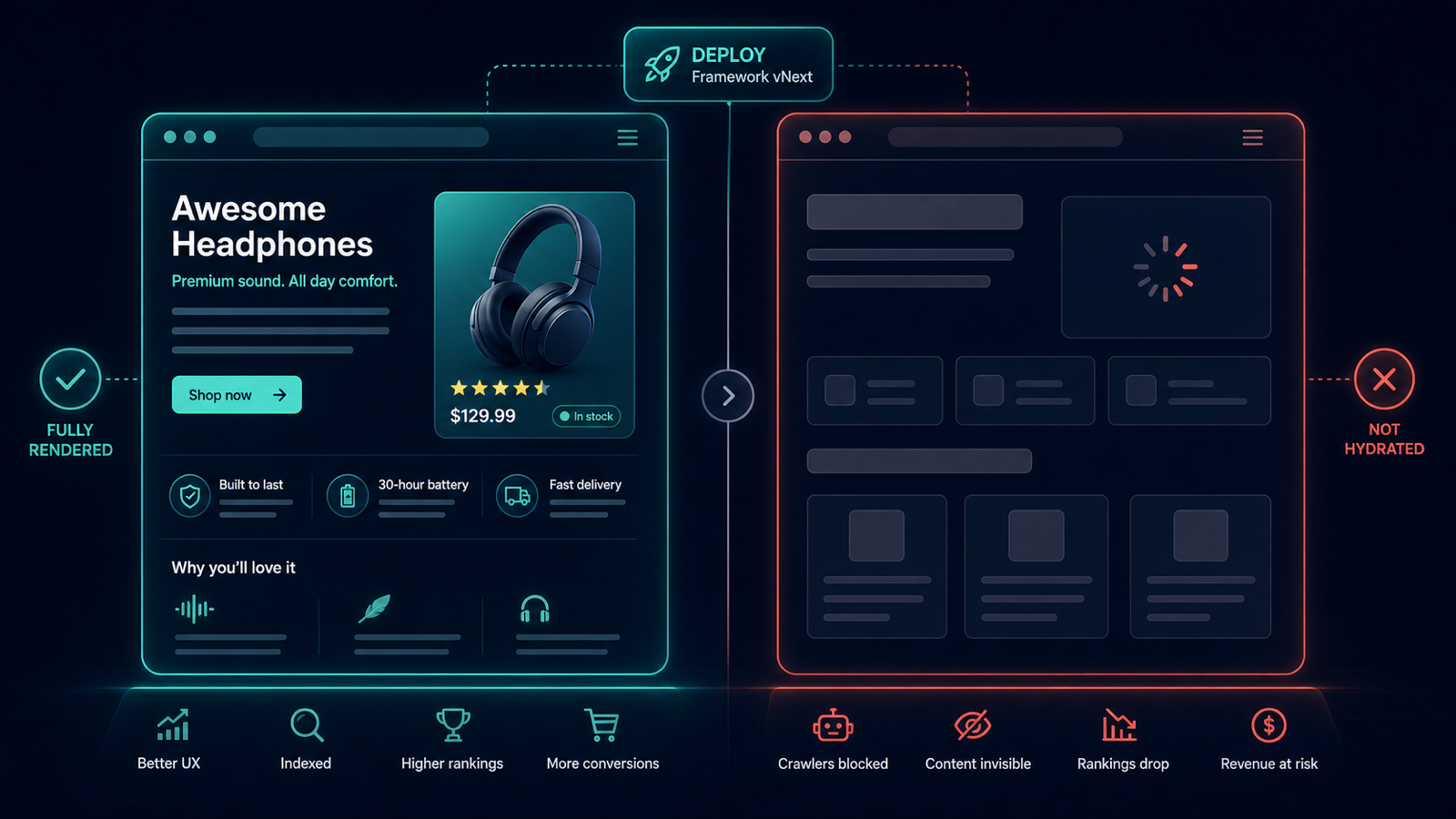
Your frontend team upgrades Next.js from one major to the next on a Tuesday.
The app runs perfectly in QA — humans see all the content, every link works.
What the team did not notice is that the upgrade subtly changed hydration timing,
and the server-rendered HTML now ships an empty <main> block that gets filled only after JS executes.
To Googlebot's first-pass HTML crawler, every page is now a blank wrapper.
Two weeks later, organic traffic to product pages drops 40% and nobody can explain why.
This article is the parity-check setup that detects the regression on the day the upgrade lands.
What goes wrong in a JS upgrade
- Server-side rendering (SSR) breaks for a subset of routes; the HTML response no longer contains main content.
- Critical structured data moves from initial HTML to post-hydration injection; non-JS crawlers see no schema.
- Internal links rendered inside client-only components disappear from the crawlable link graph.
- Canonical tags or robots meta tags injected post-hydration are missed by HTML-first crawlers.
The parity-check setup in 2-UA
- Create two crawl iterations against the same URL list — one with Render JS: ON (browser-realistic), one with Render JS: OFF (HTML-first, the way a fast Googlebot pass sees the page).
- On both iterations, capture: response status, title, H1, meta description, canonical, robots meta, structured data, and total text length.
- Diff the two crawls. The columns that matter: text length JS off vs JS on, schema present off vs on, canonical present off vs on.
- Apply the filter:
text_length_no_js < 0.3 * text_length_with_js. Pages where the HTML-only render contains less than 30% of the hydrated content are at risk. - Add the top 20 commercially critical URLs to Tracked URLs with daily checks in both render modes. The next regression after the next upgrade fires the same alert.
The signal you wait for
A clean SSR site shows near-identical text length, identical schema presence, and identical canonical/robots metadata across the two render modes. A regression shows up as a sharp divergence on a specific template — usually one page class is broken while others render fine, because SSR configuration lives per-route.
Day-of response playbook
- Open the divergence report and identify which page class or template is affected.
- View the raw HTML response (without JS) directly in 2-UA's URL inspector. You will see exactly what content is missing.
- Check the relevant route's SSR or static-export configuration. In Next.js, this is typically
getServerSideProps,generateStaticParams, or the App Router's data-fetching layer. - Fix the SSR path or, if a quick rollback is feasible, revert the upgrade until the SSR regression is patched.
- Recrawl in JS-off mode to confirm the fix. The text-length parity ratio should return to near 1.0.
Three patterns that produce silent JS render breakage
- Client-only data fetching after upgrade — components that used to support SSR now require client-side hydration; Google can render JS, but takes longer to do so.
- Dynamic imports breaking initial paint — code-splitting boundaries shift; previously inlined content is now lazy-loaded out of the initial HTML.
- Authentication or feature-flag wrappers — a wrapper that gates content on a flag now defaults to "hide" in the absence of a hydrated user context, leaving an empty page to non-JS crawlers.
Run a quick parity check today with the free crawler on a handful of representative URLs, or set up dual JS-on / JS-off iterations inside a project for continuous parity monitoring.