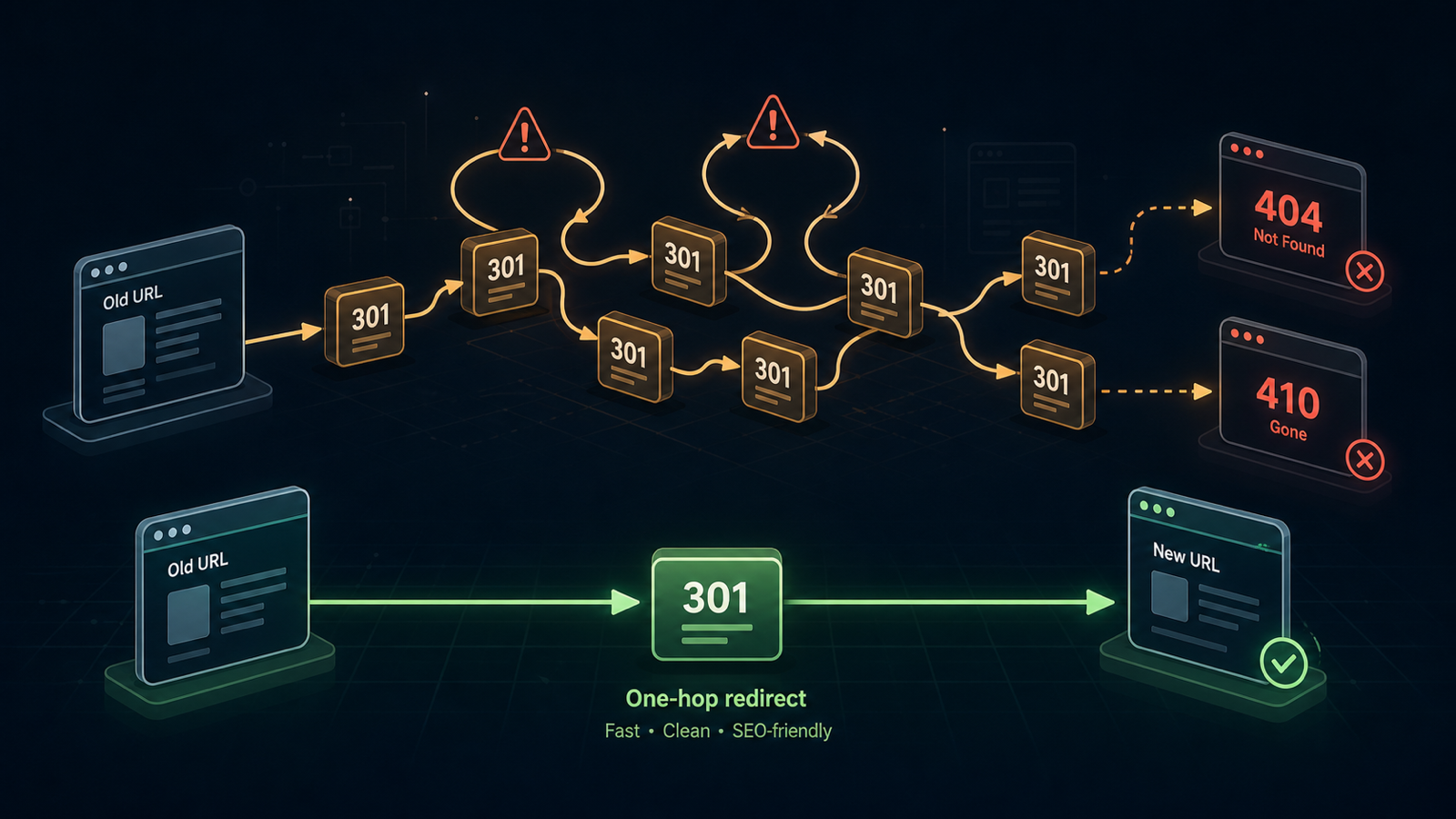
Every redirect hop is one server round-trip Googlebot subtracts from your crawl budget. Chains over three hops drop link equity sharply. Loops are simply invisible to indexers. Most enterprise sites carry years of accumulated redirect debris that no one has measured.
Step 1. Crawl with redirect tracking enabled
In Site → Crawling Iterations → New Iteration:
- Follow redirects: on.
- Max redirect depth: 10 — anything beyond is almost always a loop.
- Record redirect chain: on.
Step 2. Filter the report by redirect count
Open the iteration report and apply layered filters:
- Redirect count > 1 — every chain.
- Redirect count >= 5 — urgent chains, prioritize for engineering this week.
- Final status = 4xx — broken redirects ending in errors; fix today.
Step 3. Surface redirect loops
Sort by Redirect depth = max.
Any URL that hit the depth cap is almost certainly a loop.
Confirm by inspecting the chain in the row drawer — you will see A → B → A or A → B → C → A.
Step 4. Export and remap
Export to XLSX with the redirect-chain column. Hand the file to engineering with one rule: every chain collapses to a single 301 from the original URL directly to the final 200.
Step 5. Lock canonical URLs into tracked monitoring
For your top fifty commercial pages, add them to Site → Tracked URLs with Expected status: 200 and Expected redirect: none. The moment a release introduces a stray 302, you get a Telegram or Slack alert before the chain spreads.
Three sources of redirect debris
- HTTPS migration leftovers —
http://→www→https://wwwchains are the most common cause of 3-hop redirects. - Trailing-slash inconsistency — the second most common cause; standardize at the load balancer.
- 302 used as permanent — temporary redirects do not pass full link equity; convert to 301 or 308.
Start with the free online crawler for a 500-URL chain audit, or open a project for unlimited redirect mapping with weekly diff reports.