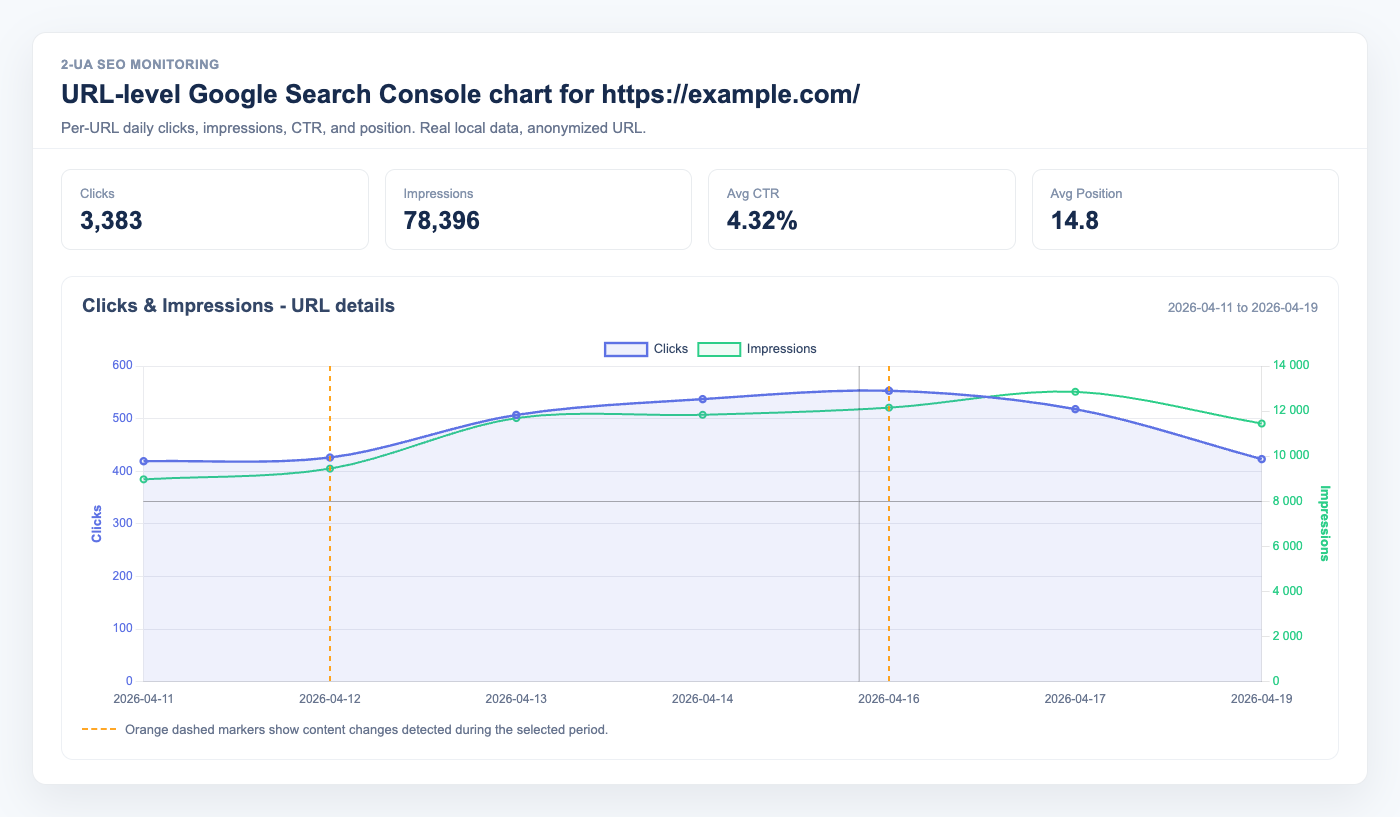
What data does the Google Search Console integration import?
Once connected, 2-UA imports four daily metrics per tracked URL from the GSC Search Analytics API: clicks, impressions, CTR, and average position. Data is imported every night for the previous day.
How do I connect Google Search Console?
- Open any tracked URL page → Quick menu → Search Console.
- Click Connect Google Search Console.
- Sign in with a Google account that has Owner or Full User access to the site in GSC.
- Approve access. The connection is stored — you only need to do this once per site.
One connection covers the entire site. All tracked URLs for that site will have their data imported automatically.
What are the vertical markers on the chart?
Each vertical dashed line marks a content change event — a date when 2-UA detected a change in the page's title, canonical tag, H1, or other monitored fields. This lets you visually correlate "when did we change something?" with "what happened to clicks and CTR?".
Why is the position axis inverted?
Average position 1 means you rank first in Google — that is the best possible outcome. To match visual intuition (up = better), the position axis is inverted: position 1 appears at the top of the chart, and position 50 at the bottom.
When does data start appearing?
The first data appears the morning after you connect, covering the previous day. Historical data is not back-filled automatically — data accumulates day by day from the connection date.
GSC itself has a 2–3 day lag before data is finalized. Clicks and impressions for very recent days may still be updating.
What OAuth scopes does 2-UA request?
The only scope requested is webmasters.readonly.
2-UA cannot modify your GSC settings, submit sitemaps, or read any Google account data outside Search Console.
How do I disconnect?
Open the tracked URL's Search Console tab and click Disconnect at the bottom of the page. The stored token is immediately deleted and no further imports will run for this site.
Ask us about this workflow
Send the page or report you are working with and describe where you are stuck.