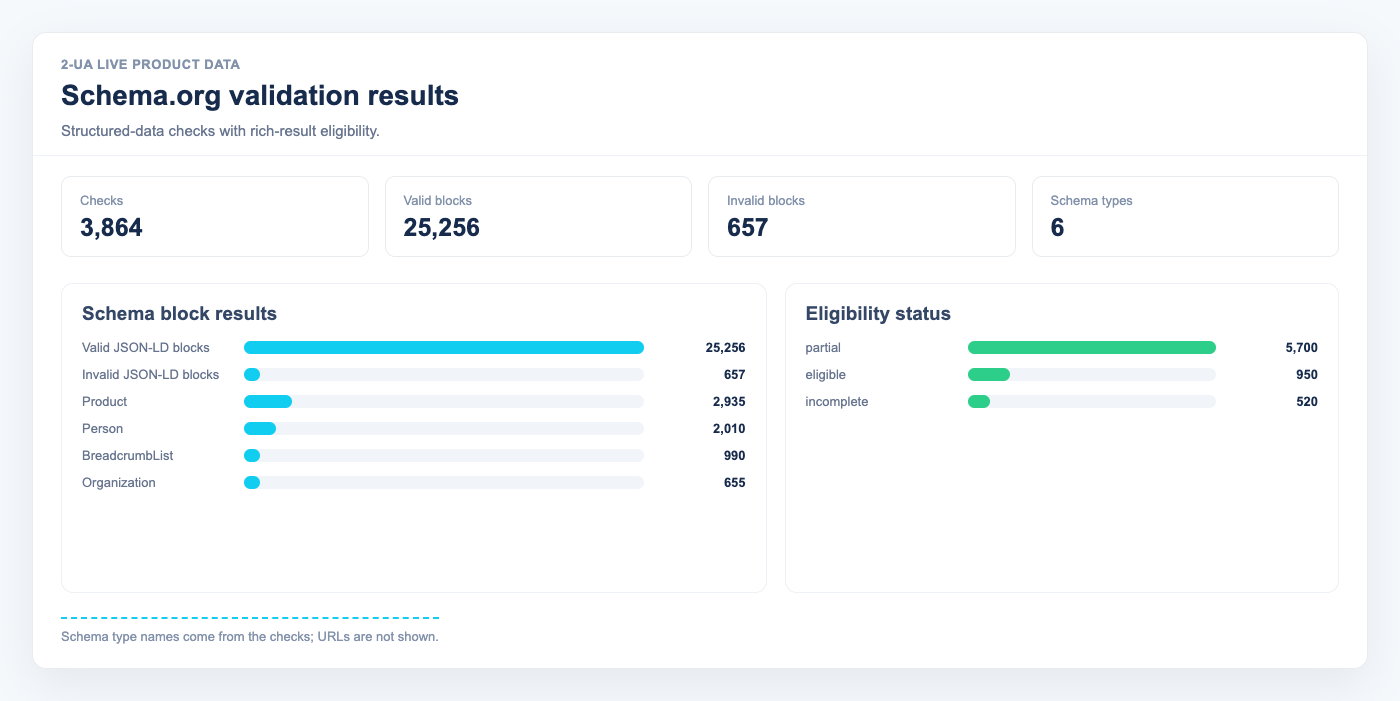
What does the Schema.org validator check?
For each tracked desktop URL, 2-UA extracts all <script type="application/ld+json">
blocks from the page HTML and validates each one. Checks include:
- JSON syntax — a parse error makes the block invisible to Google.
@contextreferences schema.org.@typeis present and non-empty.- Required properties for known types (Article, Product, BreadcrumbList, FAQPage, etc.).
@grapharrays are expanded and each item validated individually.
Where to find Schema.org results
Open a tracked URL → Quick menu → Schema.org. The page shows:
- Latest check — each structured data block as a card, green (valid) or red (invalid) with error details.
- Trend chart — valid vs invalid count over the selected date range.
- History table — every daily run with counts and block type badges.
How often is Schema.org validated?
Once per day, on the same schedule as W3C validation. The check reads the last saved desktop HTML snapshot for the URL — no extra HTTP request is made.
What does "No structured data found" mean?
The page HTML contained no application/ld+json blocks at the time of the last check.
This is not automatically an error, but adding structured data for the page type
(Article, Product, BreadcrumbList) can enable rich results in Google search.
A block was valid yesterday but is invalid today — what happened?
Compare the date in the history table with your deployment log (Change log view).
Common causes: plugin update removed a required property, a template render error produced
an incomplete JSON object, or a CMS migration dropped the @context field.
Ask us about this workflow
Send the page or report you are working with and describe where you are stuck.